If you own a small restaurant, chances are you already run half of it from your phone. Staff texting about a no-show, a supplier confirming tomorrow's delivery, your manager sending photos of the cooler that just went out. The phone is already the command center. What's usually missing is the actual operations layer on top of it — the sales numbers, the inventory counts, the shift attendance, the daily briefing that tells you what happened yesterday and what needs attention today.
This guide walks through what "running your restaurant from your phone" actually means in 2026, what tools exist, and how to choose an approach that fits how you already work — instead of forcing you to change everything.
The short version, for people who don't want to read 3,000 words
If you're a small restaurant owner with one or two locations, here's the honest summary:
- You do not need a $200-500/month POS system to manage your restaurant well. That's what Toast and Square are selling, and they're great for restaurants that need them. Most small independents don't.
- What you actually need are four things: a way to record daily sales, a way to track inventory, a way to log staff time, and a way to see the numbers without opening three different dashboards.
- The right tool depends on your comfort with technology. Owners who love apps should use something like 7shifts or Homebase. Owners who mostly live in WhatsApp should use a chat-based tool. Owners who still trust paper should keep paper — but scan the pages weekly.
- The biggest mistake is trying to run everything from memory. Small business owners commonly spend 10-15 hours a month on basic bookkeeping alone, and most of that time gets squeezed into nights and weekends. The right phone-based system turns that into 15 minutes a day.
Now the longer version, because the details actually matter.
Why "running your restaurant from your phone" became normal
Ten years ago, restaurant management software meant a computer in the back office. You'd close out the register, walk to the office, and enter the day's numbers before you locked up. If you wanted to check inventory from home, you couldn't.
Cloud-based systems changed that around 2015. Toast, Square for Restaurants, Lightspeed, and Clover all launched mobile apps for owners. You could check yesterday's sales from your couch. You could edit the menu from the parking lot before service. The whole "office" moved into your pocket.
But there was a catch: those tools were built for restaurants that had already committed to a full point-of-sale system. If your restaurant still ran on paper receipts and cash — which describes millions of small restaurants globally — you couldn't use them. And if you didn't want to pay $200-500 a month for the underlying POS, you were out of options.
In 2026, that's finally changing. A few things happened at once:
- Lightweight tools became actually good. Apps like Homebase (free tier for scheduling and timekeeping) and 7shifts made restaurant-specific tools accessible to independents.
- WhatsApp became a legitimate business platform. With the WhatsApp Business API and tools that plug into it, owners can now log operations by texting the same way they text their staff.
- AI got useful for small operations. You can now describe what happened in plain English ("Sold about $4,200 today, chicken is running low"), and software understands it, records it, and briefs you back later.
The result: for the first time, you can genuinely run a small restaurant from your phone without a POS system, without paying enterprise prices, and without learning a new interface.
What "managing from your phone" actually needs to cover
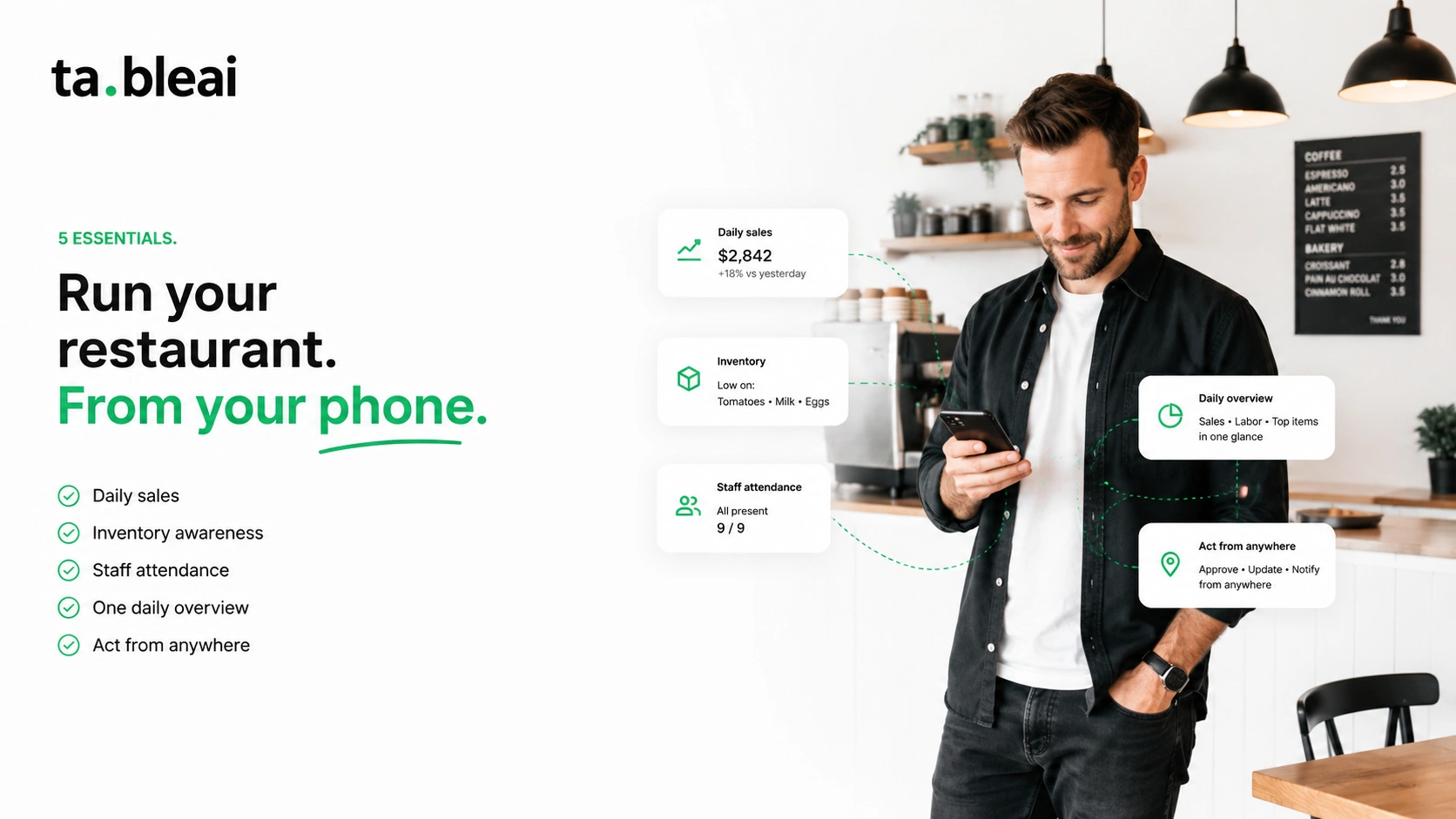
Before we get into tools, let's be honest about what the job actually is. A restaurant owner who wants to manage from their phone needs to handle at least these five things:
1. Daily sales tracking. Not because you love spreadsheets, but because if you don't know what yesterday's numbers were, you can't tell if today's are good or bad. Most small restaurants either write this on a paper log, remember it approximately, or check the POS report — which means they only look once a week.
2. Inventory awareness. Not full inventory management with barcodes and reorder points — that's overkill for most independents. Just knowing what's running low before you run out. The moment you're in service and realize you're out of chicken is the moment you lose money.
3. Staff attendance and shift coverage. Who showed up. Who was late. Who called out. Who's scheduled tomorrow. Missing this is how you end up with three cooks on a slow Tuesday and one on a busy Friday.
4. A single daily overview. Not five dashboards. One place that tells you: yesterday's revenue, today's staffing, what's low, what's off. This is what the good chains have built into their tools. Independents usually don't.
5. The ability to act on all of it from anywhere. Whether you're on the floor, at home with your kids, or on vacation, you should be able to see the state of the restaurant and make decisions.
Any tool that claims to help you run your restaurant from your phone needs to cover at least these five. Most cover two or three. A few cover all of them.
The five approaches, ranked honestly
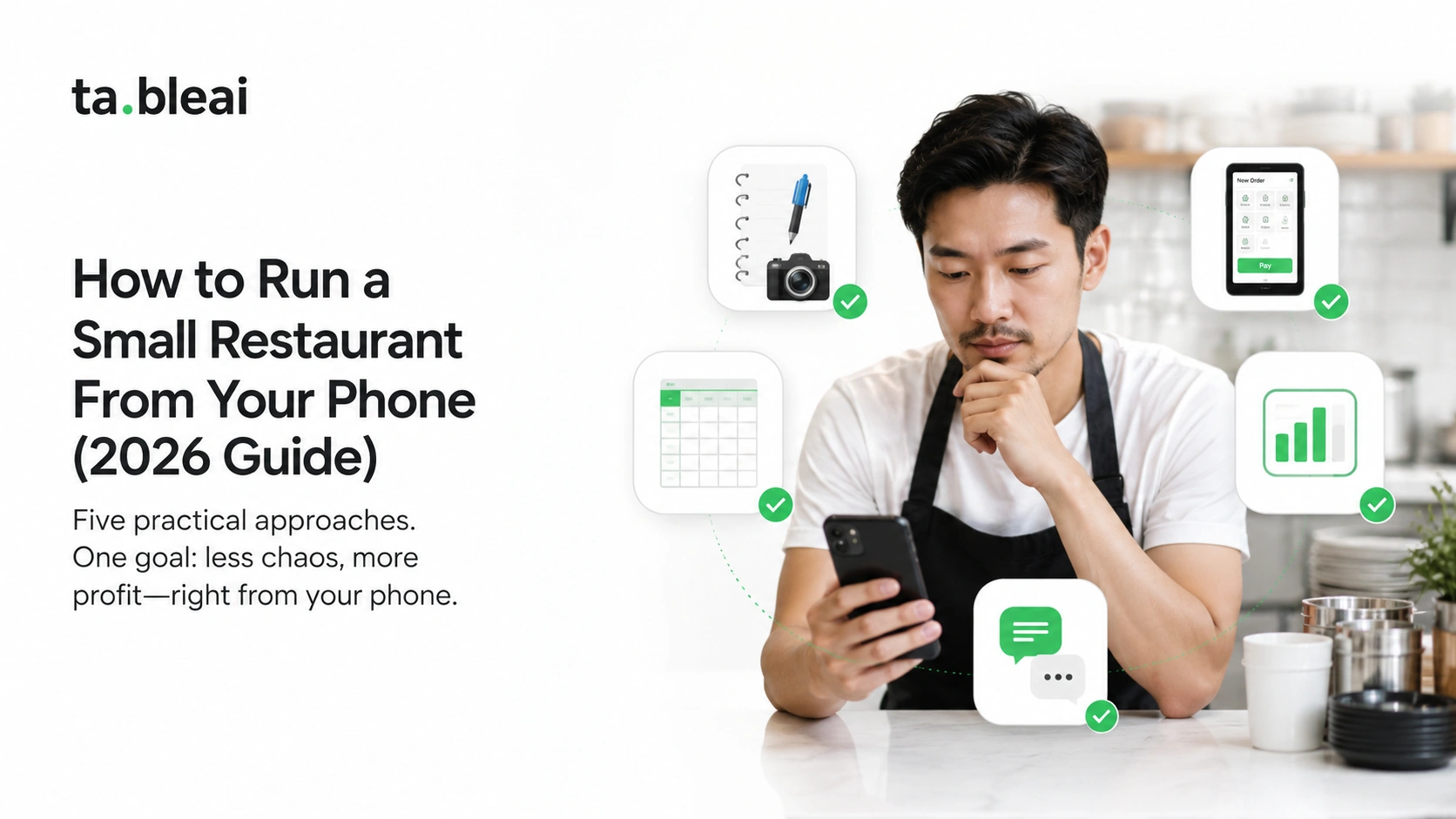
Here are the real options for a small restaurant owner in 2026, from lowest to highest complexity.
Approach 1: Paper log + phone camera
How it works: You keep a paper log at the register. End of day, you photograph the page and save it to a phone folder. Weekly, you flip through the photos.
Cost: Free.
Who it's for: Owners who don't trust software, who have small operations, who mostly need historical records and don't care about live insights.
Honest tradeoffs: It's better than nothing. But you cannot pull up "how did last Tuesday compare to two Tuesdays ago" without paging through a stack of photos. Trends are invisible. You'll catch problems only after they've cost you money.
Approach 2: Excel or Google Sheets on your phone
How it works: Build a template. Log daily numbers in your phone's Sheets app. Add basic formulas for weekly averages.
Cost: Free.
Who it's for: Owners who are comfortable with spreadsheets and want structure without paying anything.
Honest tradeoffs: Works well for one person. Falls apart when you want a manager or your spouse to also add data. Data entry on a phone keyboard is tedious. If you skip a few days, you skip forever — human nature.
Approach 3: Point-of-sale system with mobile app (Toast, Square, Clover)
How it works: Install a full POS at your restaurant. Use the owner mobile app to check sales, edit menu, run reports, and manage staff from your phone.
Cost: $69-165/month per terminal for software, plus hardware (terminals, printers, card readers can run $500-3,000 upfront), plus payment processing fees of 2.4-3.5% per credit card transaction.
Who it's for: Restaurants that need a full POS anyway. If you're taking hundreds of orders a day, splitting checks, managing complex menus with modifiers, and want your sales data to flow directly into accounting, a real POS is the right call.
Honest tradeoffs: If you don't need the POS itself, you're paying $200-500 a month primarily for a phone app that checks numbers. That's expensive for what you get. Toast IQ, launched in late 2025, adds an AI conversational layer that makes their app significantly better — but it's still only useful if you're already paying for the underlying Toast subscription.
Approach 4: Dedicated operations app (7shifts, Homebase, Lumiform)
How it works: Skip the POS. Use a purpose-built app for the specific thing you care most about — scheduling, timekeeping, or task tracking.
Cost: Homebase has a genuinely free tier for basic scheduling, time clocks, and messaging. 7shifts starts around $30/month per location. Lumiform offers digital checklists on a paid plan.
Who it's for: Owners whose #1 pain is staffing or task compliance. If your restaurant runs fine on cash and paper but you can't keep track of who's scheduled and who's on break, this is the layer to add.
Honest tradeoffs: These solve one problem well but they don't cover sales, inventory, or daily briefings. You'll end up with multiple apps — one for scheduling, one for sales, one for inventory — and switching between them is exactly what "run it from your phone" was supposed to fix.
Approach 5: Chat-based operations layer (like TableAI)
How it works: You text a WhatsApp number for everything. "Sold $4,200 today" logs the sale. "Chicken is running low" logs a low-stock alert. "Mike was late" logs the attendance issue. The system replies conversationally, and every morning at 7am sends you a briefing on yesterday.
Cost: Typically $20-50/month depending on the provider. TableAI is free during early access.
Who it's for: Owners who already spend most of their day on WhatsApp — which is most independent restaurant owners globally, and a growing number in North America. If opening another app to log a sale is friction, this removes it entirely.
Honest tradeoffs: Manual data entry is still manual data entry. You need to text the number instead of it flowing automatically from a POS. Also new — the WhatsApp-based category is only a couple of years old, so there are fewer providers to choose from. TableAI is one option; others will likely follow.
How to actually pick one
Rather than reading more comparison content, answer three questions honestly:
Question 1: Do you already have a POS you like?
If yes → use its mobile app. You're already paying for it. Toast, Square, and Clover all have good mobile experiences. If you're on Toast, try Toast IQ specifically — it's the closest thing to a conversational operations tool in the POS world.
Question 2: If you don't have a POS, do you want one?
If yes → get one. Then use the mobile app. But be honest with yourself: a POS makes sense if you have complex ordering, take a lot of cards, need integrated accounting, or plan to grow past one location. If you're a small independent doing $1,000-3,000 a day in mostly cash, a POS is probably overkill.
If no → skip Approaches 3 and 4. You want either a spreadsheet (Approach 2) if you're spreadsheet-fluent, or a chat-based tool (Approach 5) if you'd rather text than tap.
Question 3: What's your #1 daily pain right now?
If it's staffing → 7shifts or Homebase. If it's not knowing yesterday's numbers → any tool with a daily briefing. If it's inventory always running out → a tool with low-stock alerts. If it's all of the above → you want a single tool that covers multiple areas. That's typically a POS mobile app or a chat-based ops layer, not multiple point solutions.
The mistake almost every owner makes
The most common failure isn't picking the wrong tool. It's picking a tool and then not using it consistently for the first 30 days.
Here's what usually happens: you sign up for something, use it enthusiastically for a week, get busy during a rush, skip logging for three days, come back to a broken data set, feel behind, and quit.
If you can log a sale in under 15 seconds, you'll do it. If it takes two minutes and requires opening an app, logging in, tapping through menus, and typing on a small keyboard, you'll skip it. This is the entire reason chat-based tools have started to win in this category — you can send "sold $4200 today" in six seconds while you're closing up.
Whatever tool you pick, test the friction. Ask yourself: can I log a sale, an inventory check, and a staff note in under 30 seconds each? If yes, you'll build the habit. If no, you'll quit within a month.
What a good phone-based restaurant management day actually looks like
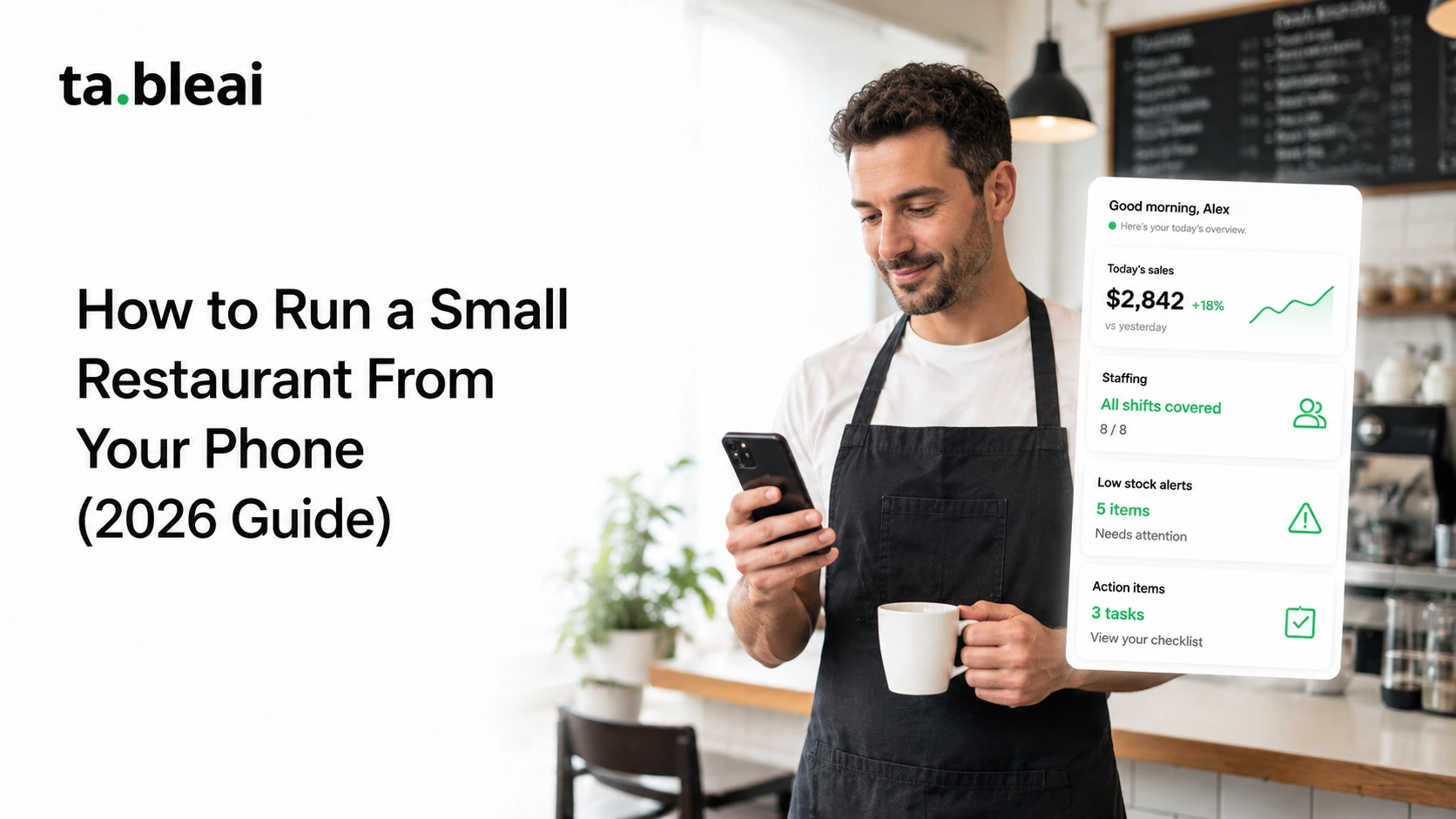
Here's a realistic day for an owner who's set up a phone-based system properly:
7:00 AM — The morning briefing arrives. Yesterday's sales, comparison to same day last week, anything running low, who's scheduled today. You read it while your coffee brews.
9:00 AM — You're at home. A supplier confirms they're delivering an hour late. You log the note ("Meat delivery pushed to 11:30") so the kitchen knows before they call you.
12:30 PM — Lunch rush is happening. You're not there. You get a WhatsApp: "Mike didn't show up." You reply with "Note that. See if John can pick up his shift." The system logs the attendance issue.
5:00 PM — Between lunch and dinner. You check your phone. Sales are on pace, inventory looks fine, staff is covered. You go pick up your kid.
10:30 PM — Close-out. Your night manager sends the day's totals: "Sold $3,850, tips looked good, tomato inventory is getting low." Two minutes later, you've logged it all.
11:00 PM — You're in bed. You know your restaurant's state completely. You know tomorrow's staffing is set. You know what needs ordering. You can actually sleep.
That's what "running your restaurant from your phone" is supposed to feel like. Not more work — less. Not more apps — fewer. Not more anxiety — less.
Common questions
Do I need Wi-Fi to run my restaurant from my phone?
You need cell service. Most modern restaurant tools work over cellular data. The apps that require Wi-Fi are usually POS terminals at the register — not the owner's mobile experience. If you're managing from your phone, you're doing it over whatever data connection your phone has.
Can multiple people (like my manager and I) use the same account?
Yes, most tools support multiple users with different permission levels. Your manager might have access to log sales and check inventory but not to see profit reports or change pricing. Confirm this before signing up — it matters.
What if my staff isn't tech-savvy?
Pick a tool that requires minimum change for them. Chat-based tools tend to win here because staff are already texting. Scheduling apps like 7shifts also have very simple staff interfaces. Avoid tools that require your line cooks to install and log into another app — they won't do it consistently.
How do I handle cash vs card sales separately?
Any decent tool lets you log cash and card totals separately. This matters for tax reporting and for catching discrepancies. Even in a chat-based tool, you can say "Sold $4,200 total, $2,800 card, $1,400 cash."
What happens to my data if I stop paying / the company shuts down?
Ask this before signing up. The good tools let you export your data to a spreadsheet at any time. If a tool doesn't offer data export, that's a red flag — you should be able to leave with your history intact.
Is any of this worth it if my restaurant is barely surviving?
The point of tracking is to see where money's leaking. Restaurants operating on razor-thin margins are exactly the ones who most benefit from actually seeing their numbers. If you're on the edge, tracking is what tells you which decisions are helping and which are hurting.
The bottom line
Running a small restaurant from your phone in 2026 is genuinely possible, in a way it wasn't three years ago. The tools are better, the friction is lower, and there's finally a category for restaurants that don't have or want a full POS system.
Pick a tool. Give it 30 days of consistent use. See if you can hit the morning knowing yesterday's numbers without checking anything. That's the test.
If you'd like to try a chat-based option, TableAI works via WhatsApp — you text sales, inventory, and staff notes to a number, and it briefs you back every morning at 7am. Free during early access.
Whatever you pick, the tool matters less than the habit. The best restaurant management system in the world doesn't help you if you stop logging after week two.