Cloud kitchen management is running a delivery-only kitchen as a numbers operation: tracking order flow across delivery platforms, the commission each app takes, food cost plus packaging, and a margin that runs thinner than most people expect. With no dine-in room (no host stand, no table turns, no walk-in impulse buys), there's nothing to manage but the economics of each order.
That reframes the job. This guide covers how to run it day to day: tracking each delivery platform separately, knowing your real cost per order once commission and packaging are counted, forecasting prep so you don't over-buy, and watching the handful of numbers that tell you whether you're making money. It's honest about the part most vendor pages skip. Delivery-only margins are tight, and the kitchens that survive tend to be the ones that watch their numbers closely.
The short answer
The core job of cloud kitchen management is four things:
- Track each delivery platform separately. Record gross sales and the commission it charges, because that commission (commonly 15–30% per order) is usually your biggest cost after food.
- Know your true cost per order: food cost plus packaging, which for delivery is a real line item, not a rounding error.
- Forecast prep from actual order history so you buy and cook to demand instead of guessing and wasting.
- Watch margin, not just revenue. Delivery-only net margins are typically reported in the mid-single digits, with well-run kitchens reaching the mid-teens and some top performers higher. A busy day can still lose money if commission and packaging quietly eat it.
Everything below is detail on those four. If you take one thing away: in a cloud kitchen, revenue lies and margin tells the truth. A $6,000 day across three apps at 28% commission is not what it looks like on the deposit screen.
Why cloud kitchen management is different from running a restaurant
A traditional restaurant makes money from the room. Table turns, drinks, the customer who came for one thing and ordered three. Its costs are rent for a dining space, front-of-house staff, and a POS at the register.
A cloud kitchen deletes all of that and replaces it with delivery economics. Here's what actually changes:
Every order carries a commission. In a dine-in restaurant, most sales cost you nothing to acquire beyond the food. In a delivery-only kitchen, nearly every order arrives through a third-party app that takes a cut off the top. That's the defining cost of the model, and it's why you can be "busy" and still not profitable.
You have no direct read on the customer. No one walks up to the counter. Your only signal is the order data flowing in from each platform. That's exactly why tracking that data cleanly is the whole game.
Packaging becomes a cost center. Dine-in food goes on a plate you wash. Delivery food goes in containers, bags, sleeves, and seals you buy for every single order. Over a month, packaging is a meaningful slice of cost, and it's easy to ignore until you total it up.
You often run multiple brands from one kitchen. Many cloud kitchens operate two, three, or more "virtual brands" from the same equipment. That multiplies the tracking problem: now you need per-brand and per-platform numbers to know which concept is actually earning.
None of this is a reason not to run a cloud kitchen. The model has real advantages: lower rent, no dining-room labor, the ability to test a brand without a build-out. But it rewards operators who manage by the numbers and quietly punishes the ones who don't.
The one habit that decides whether you make money: per-platform tracking
If you do nothing else, do this. Record every platform's numbers separately, every day. Gross sales, commission, and orders — split by app. Here's why it matters, in a single table.
Say you did $6,000 in gross delivery sales yesterday across three platforms. On the deposit screen that's one happy number. Broken down, it's a different story:
| Platform | Gross sales | Commission rate | Commission paid | Net after commission |
|---|---|---|---|---|
| Platform A | $2,800 | 30% | $840 | $1,960 |
| Platform B | $2,000 | 22% | $440 | $1,560 |
| Platform C | $1,200 | 15% | $180 | $1,020 |
| Total | $6,000 | — | $1,460 | $4,540 |
(Rates are illustrative. Real commission tiers vary by platform, region, and whatever marketing package you signed up for, but they land commonly somewhere in the 15–30% range.)
Two things jump out the moment you split it. First, you paid roughly $1,460 in commission on a $6,000 day, before you bought a single ingredient. Second, Platform A drove the most gross but at the worst rate; Platform C is small but keeps far more of every dollar. That's a business decision hiding inside data you'd never see if you only looked at the combined deposit.
And the base commission is only the sticker price. Once you stack payment-processing fees, the funded promotions you run to stay visible, and the refunds and chargebacks that come with delivery, the effective cost you actually pay commonly lands around 25–40% of the order total, well above the headline 15–30%. That gap is what quietly breaks a break-even calculation built on the base rate alone, so it's worth tracking your true all-in platform cost, not just the advertised commission.
Do this daily and patterns appear fast: which platform is worth pushing marketing spend into, which one's commission tier is quietly killing you, which brand performs on which app. Skip it, and you're flying blind on the exact number that defines your model.
How to track this: a spreadsheet with one row per platform per day works fine to start. If typing into a phone spreadsheet after close is the thing you'll skip, a WhatsApp-based tool like TableAI for quick-service and delivery kitchens lets you text the day's numbers — "Platform A did $2,800, Platform B $2,000, Platform C $1,200" — and it logs them and sends a morning summary. The point isn't the tool; it's that the numbers get captured every day without friction. More on lightweight approaches in our guide to tracking restaurant sales without a POS.
Food cost in a cloud kitchen: don't forget the packaging
Every restaurant tracks food cost. Cloud kitchens have to track food cost plus packaging, because in a delivery model the packaging isn't optional and it isn't cheap.
Your true cost per order is roughly:
Ingredients + packaging + the platform's commission on that order = what the order actually costs you.
Food cost as a percentage of sales is commonly targeted in the 28–35% range for many concepts. Packaging typically adds another few percentage points on top — the exact figure depends on how much your containers, bags, and seals cost and how you price. It sounds small until you multiply it across hundreds of orders a week.
A practical way to manage it:
- Cost your packaging per order type, not in the abstract. A burrito needs a foil, a container, a bag, and a sticker. Know what that stack costs and treat it as part of the plate.
- Design the menu for delivery. Items that arrive soggy, melted, or collapsed generate refunds and bad reviews, both of which are pure margin loss in a model where you never get a second chance at the table. Cut them.
- Buy packaging to forecast, the same way you buy food. Running out of containers mid-rush is as damaging as running out of chicken.
For the full method on measuring and controlling food cost percentage (which applies directly here, you're just adding packaging as a line), see our restaurant food cost calculator guide.
Prep-to-forecast: cook to demand, not to guess
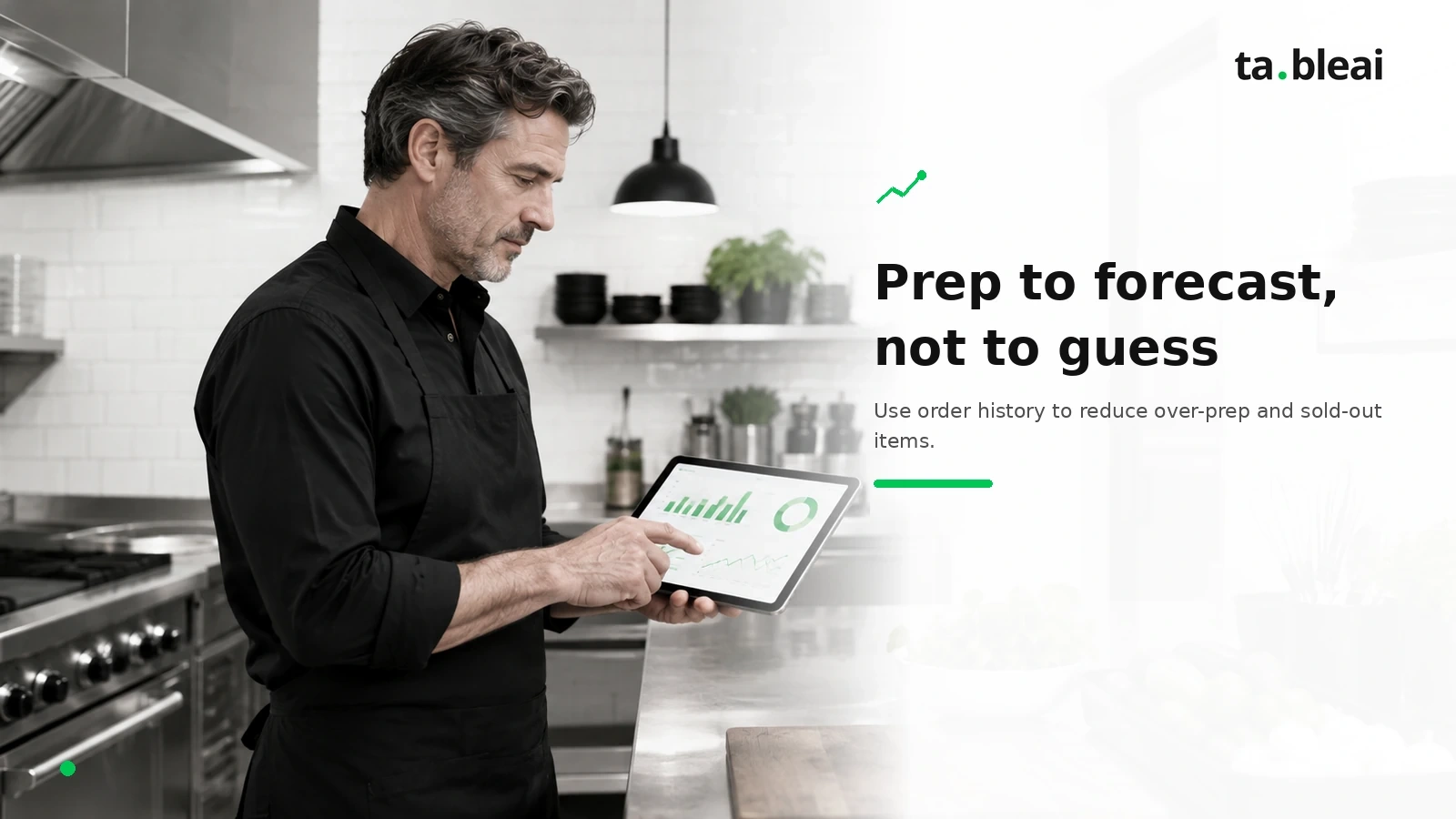
With no dine-in walk-ins, a cloud kitchen's demand is unusually predictable — because it's almost entirely order data, and order data has patterns. Fridays look like Fridays. The 7pm rush looks like the 7pm rush. That predictability is a gift, if you use it.
The method is simple:
- Keep a daily record of orders and sales by day of week. After a few weeks you'll see the shape — which days are heavy, which items move, how the platforms differ.
- Prep to the forecast, not to a fixed par. If last four Fridays averaged 180 orders and Tuesdays average 70, your Friday prep and your Tuesday prep should not be the same. Most waste comes from prepping every day like it's a Friday.
- Watch your low-stock items before service, not during. The worst moment in a delivery kitchen is marking an item unavailable on the app mid-rush — you lose the order and nudge the customer toward a competitor.
You don't need forecasting software for this. You need a clean history of what happened and the discipline to look at it before you order and before you prep. A tool that sends you a morning briefing — yesterday's orders, what's running low, what today typically looks like — turns this from a spreadsheet chore into a two-minute read with your coffee.
The metrics that actually matter (when there's no dine-in)
Dine-in restaurants watch covers, table turns, and average check. A cloud kitchen watches a different, shorter list. These are the numbers to know cold:
| Metric | Why it matters in a delivery-only kitchen |
|---|---|
| Net sales per platform (after commission) | The truest read on which app is actually earning you money, not just volume. |
| Blended commission rate | Your total commission ÷ total gross. If it's creeping up, a platform's tier or mix is shifting against you. |
| Food + packaging cost % | Your real product cost. Delivery adds packaging, so track them together. |
| Average order value | Higher AOV spreads fixed packaging and commission cost across more revenue. Combos and add-ons move this. |
| Contribution margin per order | Order value minus food, packaging, and commission. This is the number that tells you if orders are worth taking. |
| Order cancellations / refunds | In delivery, these are pure loss and often signal a menu item that doesn't travel. |
If you track only revenue, you'll feel busy and wonder where the money went. If you track net-after-commission and contribution margin, you'll know — and you'll be able to fix it by adjusting the menu, renegotiating a tier, or shifting marketing to the platform that keeps you the most.
The honest part: delivery-only margins are thin
Here's what the software-vendor pages tend to gloss over. Cloud kitchens save you rent and front-of-house labor, but they hand most of that saving to the delivery platforms in commission. Net margins for delivery-only operations are commonly reported in the mid-single digits, with well-run kitchens reaching the mid-teens and some top performers higher still. The upside is real, but so is the floor: reaching it takes genuine discipline on commission tiers, packaging, and waste.
What that means in practice:
- Volume alone won't save a bad unit economic. If your contribution margin per order is thin, doing more orders just loses money faster. Fix the per-order math first.
- Commission is negotiable-ish and mix is controllable. You can't always change a platform's rate, but you can shift where you push promotions, encourage direct orders where possible, and drop platforms that don't pay.
- Small leaks are big here. A few percent of packaging waste or a menu item that gets refunded a lot matters more in a 10%-margin business than in a dine-in restaurant with more cushion.
The kitchens that make this work aren't the ones with the fanciest software. They're the ones that see their real numbers every day and act on them.
Where a lightweight tracking tool fits (and where it doesn't)
You don't need an enterprise cloud-kitchen platform to manage a small delivery operation well. For a lot of operators, the stack is: the delivery platforms' own order tablets, plus something simple to capture and summarize the daily numbers.
That second piece is where a tool like TableAI fits. It's not a POS — it doesn't take orders, process cards, or print tickets, and it doesn't integrate directly with the delivery apps. What it does is let you text your daily numbers ("Platform A $2,800, Platform B $2,000, got 20kg chicken, containers running low") and get them logged, with a 7am briefing on yesterday's sales, what's low, and what to expect. It also holds ingredient inventory with low-stock alerts, staff attendance, and supplier contacts. Flat pricing, roughly $29–49/month, free during early access — see pricing.
Where it's the right fit: a small, one-or-two-brand cloud kitchen owner who wants their per-platform numbers, food-and-packaging cost, and prep signals captured daily without opening another dashboard, and who already lives on WhatsApp. There's more on that setup on the TableAI for cloud kitchens page.
Where it's not: if you're running a high-volume, many-brand operation that needs automatic order aggregation directly from the delivery platforms into a kitchen display system, you want a dedicated cloud-kitchen management platform with those integrations, not a texting tool. Be honest about which one you are.
Whatever you use, the discipline is the same: capture the numbers daily, split them by platform, count the packaging, and manage to margin.
Frequently asked questions
What is cloud kitchen management?
Cloud kitchen management is the day-to-day operation of a delivery-only kitchen with no dine-in: taking orders from multiple delivery apps, tracking per-platform revenue and commission, controlling food and packaging cost, forecasting prep, and watching margin. With no walk-in customers, everything runs on order flow and delivery economics.
How much commission do delivery platforms take from a cloud kitchen?
Third-party delivery platforms commonly charge 15 to 30 percent base commission per order, with the highest tiers buying more visibility in the app. But once payment processing fees, funded promotions, and refunds or chargebacks stack on top, the effective cost restaurants actually pay commonly reaches about 25 to 40 percent of the order total. On a delivery-only model where every order goes through a platform, that is often your single largest cost after food, so tracking your true all-in cost per platform is essential.
What profit margin can a cloud kitchen expect?
Delivery-only kitchens are commonly reported to run net margins in the mid-single digits, with well-run operations reaching the mid-teens and some top performers higher, depending on commission tiers, packaging cost, and order volume. Margins are thin because platform commissions and packaging eat into every order, so small cost leaks matter more than in a dine-in restaurant.
Do I need a POS to run a cloud kitchen?
You need a way to receive orders, which usually means the delivery platforms' own tablets or an order aggregator. A full POS is optional. Many small cloud kitchens run on platform tablets plus a lightweight tracking tool for daily sales, inventory, and margin, rather than a costly all-in-one POS.
How do I track sales across multiple delivery apps?
Record each platform's gross sales and its commission separately every day, then subtract commission and packaging to see true net per platform. You can do this in a spreadsheet or by texting the day's numbers to a tracking tool that logs them and sends a morning summary of what each platform actually earned.
The bottom line
Running a cloud kitchen is less about the kitchen and more about the numbers behind it. With no dining room, your business is order flow, commission, packaging, and margin. Operators who win keep all four in clear view every day and act on what they see.
Start with per-platform tracking, because that single habit exposes the number that defines the model. Add packaging into your food cost so you're managing your real product cost. Prep to your actual order history instead of guessing. And judge every decision by margin, not by how busy the deposit screen made you feel.
If you want a low-friction way to capture those daily numbers, TableAI does it over WhatsApp and briefs you back every morning, free during early access. But the tool matters less than the discipline. In a thin-margin, delivery-only business, seeing your numbers is the management.