Most restaurant advice assumes you already have a POS system. This one doesn't. If you're running a small operation on cash, taking cards through a basic reader, or just haven't decided you need a $200-500/month system yet, you still need to know what you sold yesterday. Here's how to do that without buying software you don't need.
Need a ready-made daily record? Download our free restaurant daily sales report with net sales, guest spend and a same-weekday comparison.
The short version
If you want to skip the reading:
- Paper log + phone photo daily. Free. Works. Not great for spotting trends.
- Google Sheets on your phone. Free. Best for owners comfortable with spreadsheets. Works for one person, falls apart with multiple staff entering data.
- Square Point of Sale app (free tier). Free to install. Card processing fees only. Gives you actual reports.
- Chat-based tools like TableAI. Text your sales to a WhatsApp number. Get a briefing every morning.
- Simple mobile bookkeeping apps (Wave, Zoho Books). Free tier available. Good if you want sales tracking to flow into your accounting.
None of these require a real POS. All of them beat "I'll remember" — which is what most small operators actually do, until they realize they can't answer "how did last Tuesday compare to two Tuesdays ago."
Why this matters more than it sounds
Sales tracking sounds boring until you understand what it's actually for. It's not about the numbers themselves. It's about being able to answer three questions:
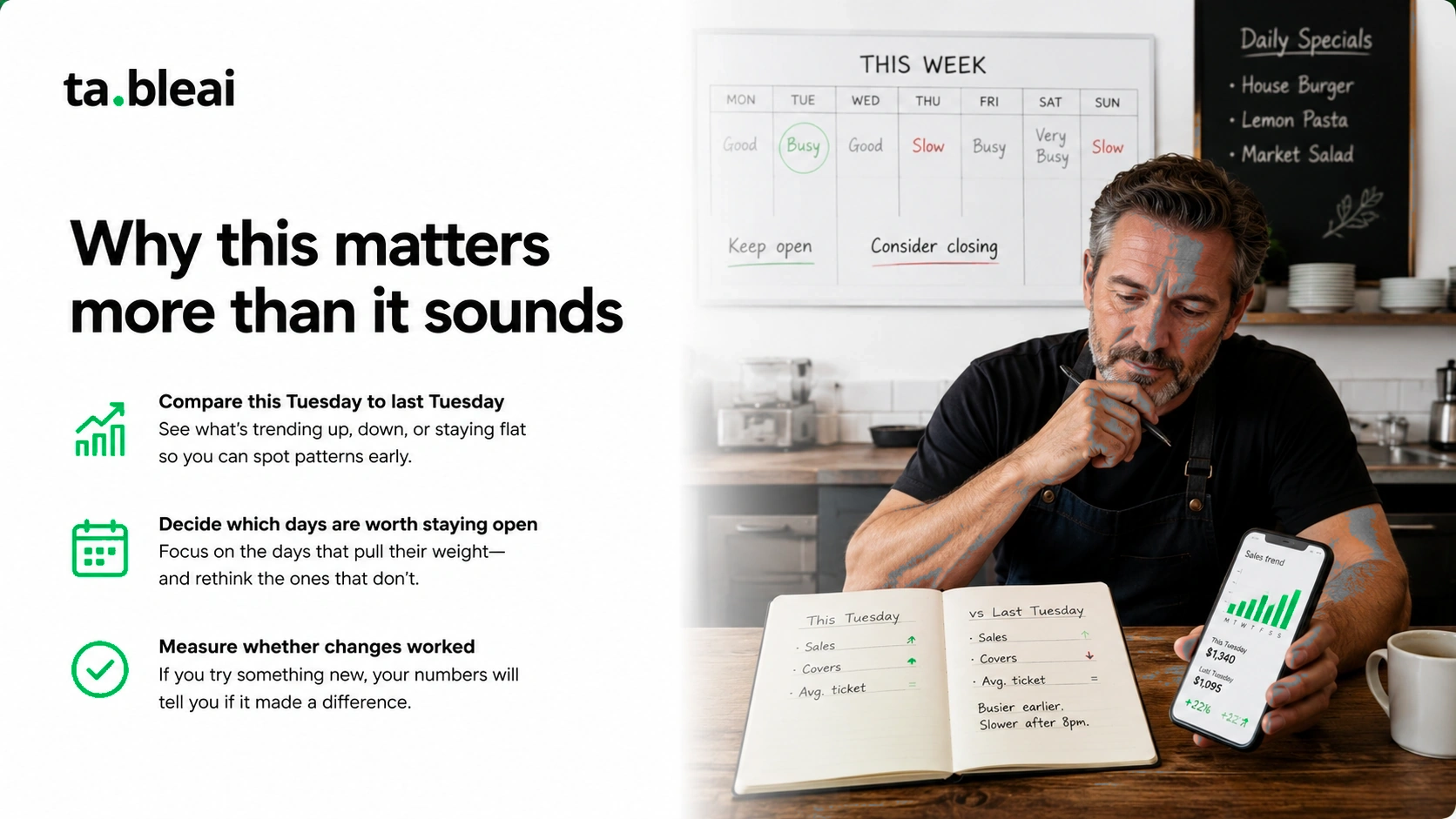
1. Am I making more or less than last week/month/year? Without a log, you're guessing. Restaurant owners commonly assume they're doing better than they are — bad weeks feel like flukes, good weeks feel like the new normal. Actual numbers correct both illusions.
2. Which days are worth staying open? Every restaurant has slow days. If you don't track sales by day of the week, you can't tell which days are losing you money. Some restaurants save thousands per year just by cutting their two worst days.
3. Did that new menu item / marketing effort / staffing change actually work? You added a burger to the menu. Sales went up next week. Was it the burger? You don't know unless you have baseline numbers from before.
None of these require a POS. All of them require you to write down what you sold today.
The 5 approaches, ranked
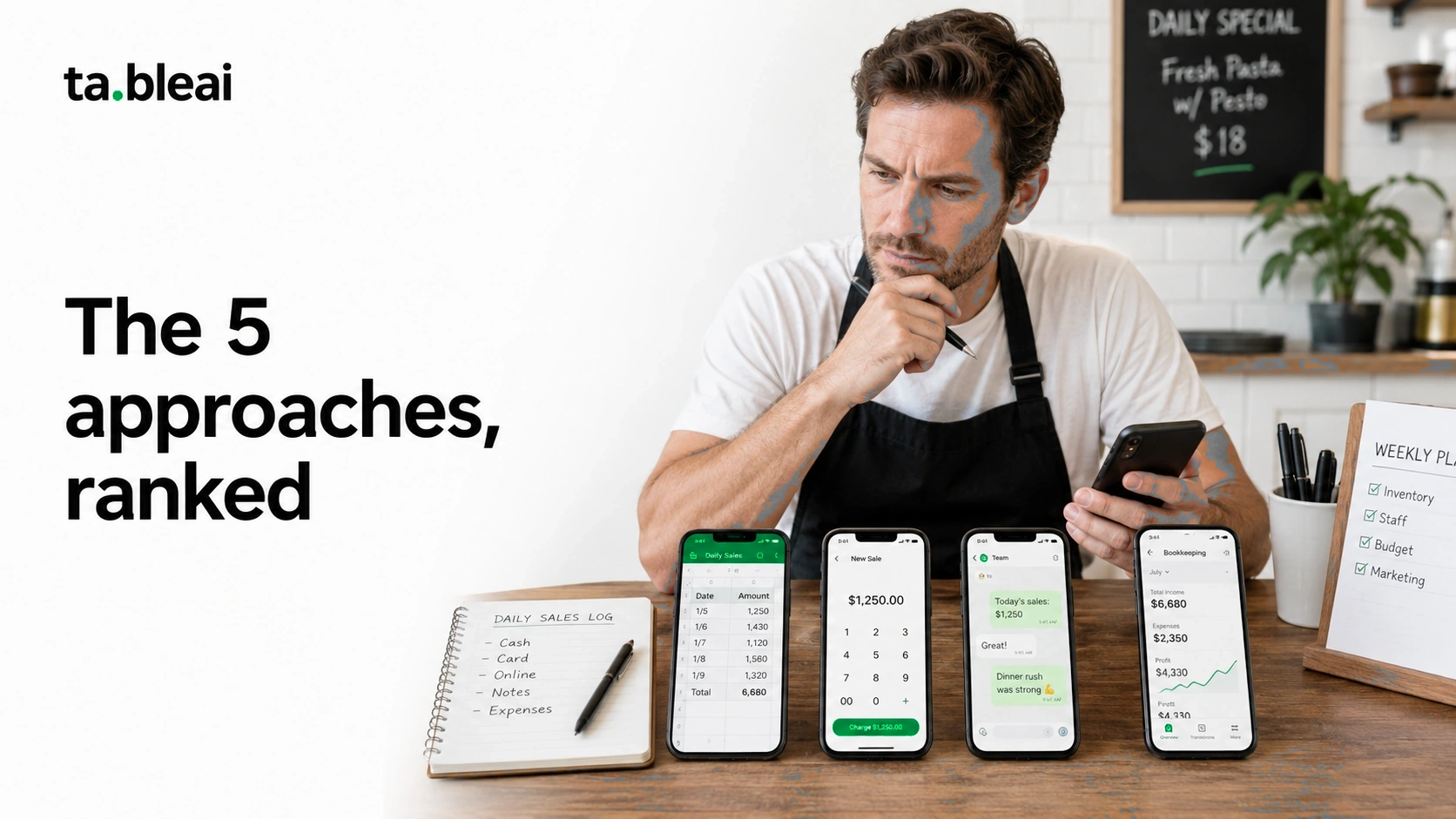
Approach 1: Paper log + daily phone photo
How it works: Keep a notebook or a simple form at the register. End of day, write:
- Total sales (cash + card combined, or split if you want)
- Number of customers (rough estimate is fine)
- Any notes worth remembering ("rainy day", "big group of 12", "power went out")
Take a photo with your phone. Save to a dated folder or Google Photos album.
Cost: Free.
Setup time: 2 minutes to buy a notebook.
Best for: Owners who don't trust software, who have very small operations, who are already used to keeping paper records.
Honest tradeoffs: You'll have a record, but you can't easily compare "this Tuesday" to "same Tuesday last month" without flipping through photos. Trends are invisible until you sit down and manually tally weekly totals — which most owners never actually do.
Improvement: Once a week, spend 10 minutes transferring the daily totals into a simple spreadsheet. Now you have both the raw record AND the ability to spot patterns.
Approach 2: Google Sheets on your phone
How it works: Create a spreadsheet with columns for date, day of week, total sales, cash sales, card sales, and notes. Every night, open it on your phone and add today's row.
Build a second sheet for weekly and monthly summaries. Basic SUM formulas do the math.
Cost: Free (Google account required).
Setup time: 15-30 minutes to build a template.
Best for: Owners who are comfortable with spreadsheets and want structure without paying for software.
Real numbers to track (minimum useful set):
- Date
- Day of week
- Total revenue
- Number of transactions (approximate)
- Any exceptional events
Real numbers to add later (once habit is built):
- Cash vs. card split
- Labor hours worked
- Weather / special events
- Top-selling items
Honest tradeoffs: Works well for one person. Data entry on a phone keyboard is tedious after two weeks. If your manager or spouse should also enter data, coordinating who fills what row becomes a mess. Skip a few days and the discipline collapses.
Template you can copy: Restaurant365 publishes a free Excel inventory template and daily sales template. Copy their format, save to Google Sheets, done.
Approach 3: Square Point of Sale app (free tier)
How it works: Download the free Square Point of Sale app. Buy a $49 card reader that plugs into your phone (or a $59 contactless reader). Use it to take card payments. Manually enter cash sales into the same app.
Square automatically generates daily, weekly, and monthly reports.
Cost: Free software. Hardware $49-99. Card processing 2.6% + $0.10 per transaction.
Setup time: 30-60 minutes including hardware pairing.
Best for: Restaurants that take any card sales at all. Even if 90% of your revenue is cash, having Square track the card portion gives you real reports for free.
Honest tradeoffs: You're using it as a sales tracker, not a full POS. If someday you want kitchen display, table management, or complex orders, you'd need to upgrade to Square for Restaurants ($60/month). But for pure sales tracking, the free app is genuinely enough.
Underrated benefit: If you record cash sales in Square too (there's a "cash" tender option), all your daily totals live in one place instead of split between paper and card reports.
Approach 4: Chat-based tools (like TableAI)
How it works: You text a WhatsApp number every night. "Sold $2,400 today, mostly cash, big lunch rush." The system logs it, replies with confirmation, and sends you a briefing every morning comparing yesterday to same-day-last-week.
Cost: TableAI is free during early access. Planned pricing $29-49/month.
Setup time: 5 minutes to sign up.
Best for: Owners who already spend their day on WhatsApp and don't want another app to open. Especially good for international operators (India, the Middle East, and Latin America) where WhatsApp is the default communication channel.
Honest tradeoffs: Still manual data entry — you have to send the message. But the friction is much lower than opening a spreadsheet app, tapping through cells, and typing on a small keyboard. Six seconds to text vs. 90 seconds to log in Sheets.
Category note: Chat-based restaurant operations tools are new — the category only really became viable in 2024 when the WhatsApp Business API became accessible to small operators. TableAI is one option; expect more to appear.
Approach 5: Mobile bookkeeping apps (Wave, Zoho Books)
How it works: Sign up for a free bookkeeping tool. Use its mobile app to record sales daily as a single "sales revenue" line item. Categorize by cash/card/other.
Cost: Wave is free (they make money on payment processing add-ons). Zoho Books has a free tier for very small businesses.
Setup time: 60-90 minutes to configure your chart of accounts properly.
Best for: Owners who also want their sales tracking to flow into actual accounting — profit/loss statements, tax prep, expense tracking.
Honest tradeoffs: More overhead than pure sales tracking. You'll need to understand basic bookkeeping concepts (revenue accounts, categories). If you don't care about accounting yet, this is more than you need.
Bonus: If you're going to hire a bookkeeper eventually, having sales already logged this way saves them hours of cleanup.
What to actually track (minimum viable)
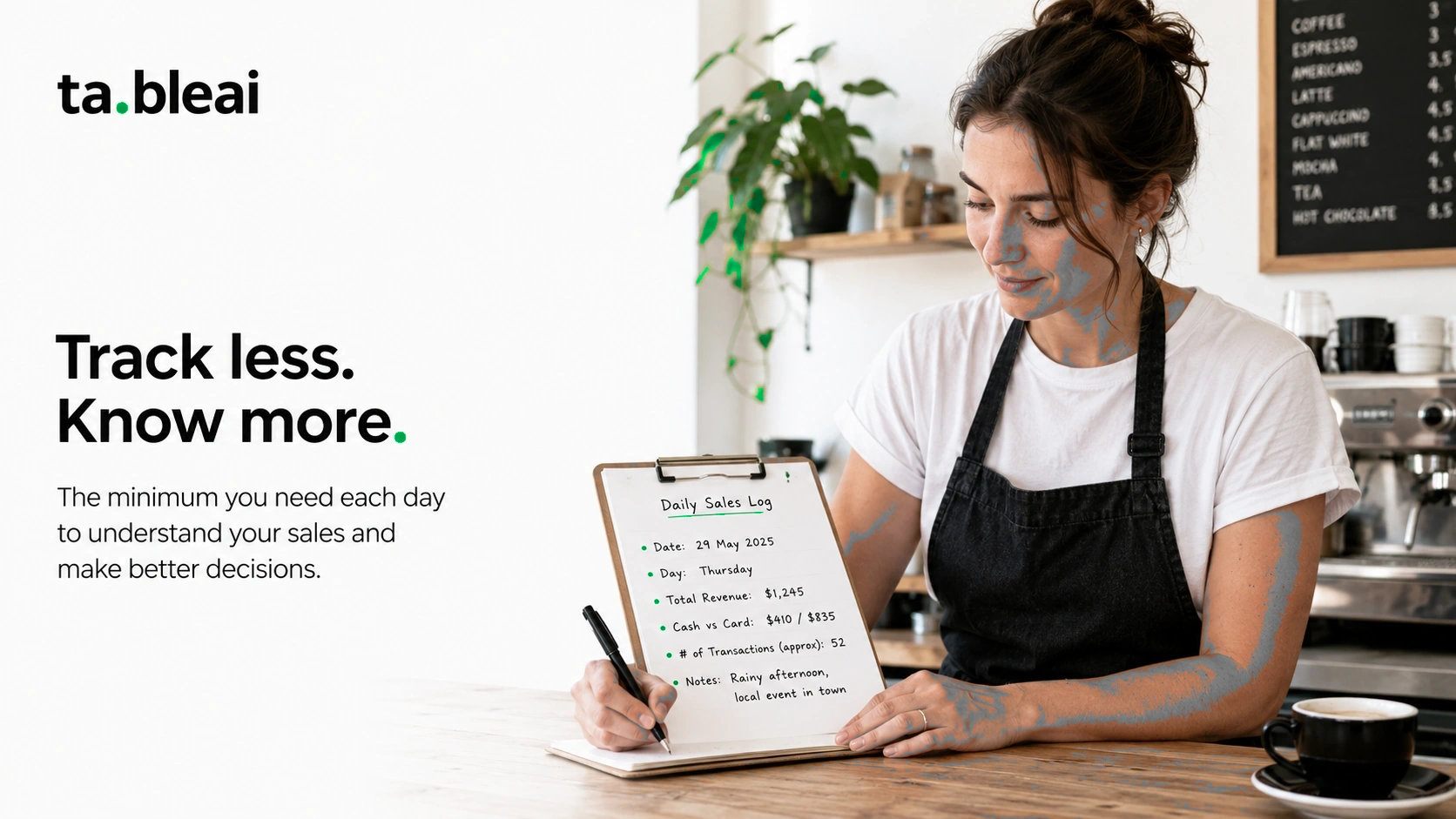
Regardless of which tool you pick, capture at least this per day:
Non-negotiable:
- Date
- Total revenue (cash + card combined)
Highly recommended:
- Cash sales
- Card sales
- Number of transactions or covers (rough count)
- Day of the week (auto-generated in most tools)
Nice to have:
- Weather (affects walk-ins for many restaurants)
- Any special events (local sports, holidays, closures nearby)
- Top-selling items
- Comp/discount total
Overkill for most small operations:
- Food cost per day (calculated separately, weekly at most)
- Labor hours per day
- Reservations vs walk-ins ratio
- Marketing attribution
Start with the non-negotiable list. Add the "highly recommended" once you've built the habit. Skip the rest unless you're actively using it to make decisions.
The one habit that makes any system work
The tool matters less than the habit. Here's the discipline that actually works:
Log at the same time every day. Most people who succeed at this pick end-of-night (right before locking up) or first-thing-morning (with coffee). Either works. Random times don't.
Log something even on bad days. The temptation is to skip weeks that went poorly. Don't. Bad-week data is more valuable than good-week data — that's where the lessons hide.
Review weekly. Every Sunday or Monday, spend 5 minutes looking at the last 7 days. What was best? What was worst? What's the trend? Without review, you're just accumulating numbers.
Compare to something. A number in isolation is useless. "$2,400 sales today" only means something if you know last Tuesday was $2,100 and same Tuesday last month was $1,800. Any tool you pick should let you make these comparisons easily.
What to do with the numbers once you have them
Restaurant sales data is only valuable if it changes decisions. Here's what actually matters:
1. Cut your worst 1-2 days. If Monday consistently runs at 40% of your peak day and you're paying full staff to be there, do the math on closing Mondays. Many small restaurants save $1,000-3,000/month by closing one slow day.
2. Staff to the pattern. If Friday dinner is always 2x Wednesday dinner, staff should reflect that. Most small restaurants staff evenly, which means understaffed on Friday and overstaffed on Wednesday.
3. Time promotions to when they matter. A "buy one get one" promo on your busiest day wastes money — those customers were coming anyway. Run promos on your worst days to shift demand.
4. Catch problems early. Sales drop 20% for two weeks in a row and you don't notice because you're not looking? That's how restaurants close. Weekly review catches this in week two, not month three.
5. Prove or disprove your gut. Every owner has a story about their business. "Our Saturday lunch is dead." "The neighborhood has changed." "Our regulars stopped coming." Numbers either confirm or destroy these stories. Both are useful.
Common questions
Do I really need this if my restaurant is very small?
Yes. Small restaurants have less margin for error, not more. A 15% sales drop is fatal for a small operation and survivable for a big one. Tracking is how you catch the drop early.
What if my staff doesn't want to record sales?
Then you do it, at end of day, based on the register/drawer count. Sales tracking is an owner responsibility. Don't outsource it to line staff who don't care about the business the way you do.
How do I track cash sales accurately?
Count your drawer at open and close. Subtract opening float. That's your cash revenue for the day. Add any cash removed for expenses (with receipts). This is basic — but most small restaurants skip the "opening float" step and get confused about their real numbers.
Should I track by menu item?
Not initially. Start with total daily sales. Add item-level tracking only when your total sales are stable and you're trying to optimize the menu. Item-level tracking is a rabbit hole that eats hours per week if you're not careful.
What if I already use QuickBooks for accounting?
You can enter daily sales as a journal entry in QuickBooks. But daily journal entries are tedious. Most operators using QuickBooks track daily sales somewhere lighter (spreadsheet or app) and enter into QuickBooks monthly as a summary. Ask your bookkeeper for the workflow they prefer.
Is Square really usable without a full POS?
Yes. The free Square Point of Sale app is genuinely useful just for card processing + basic sales tracking. You don't need to upgrade to Square for Restaurants unless you want the full POS features.
Bottom line
You don't need a $500/month system to know what your restaurant sold today. You need a habit and a tool that reduces the friction of that habit to under 30 seconds per day.
Paper works. Sheets works. Free Square works. Chat-based tools work.
Pick one. Start tomorrow. Give it 30 days. If you can't answer "how did last week compare to the week before" by day 30, switch tools. But 90% of the time, the tool isn't the problem — the habit is.
If you want to try the chat-based option, TableAI works via WhatsApp — you text sales, inventory, and staff notes to a number, and it briefs you back every morning at 7am. Free during early access. Otherwise, Square's free app is probably your best starting point.
Whichever you pick, the tracking matters more than the tool.