Use the calculator above to find how much of your food revenue went into ingredients during a week or month. The example below uses U.S. dollars; use your own local currency in the calculator as long as every entry uses the same one.
You need four figures: food inventory at the start, food purchased, food inventory at the end, and food sales for that same period. Use inventory valued at purchase cost, not the price you charge customers.
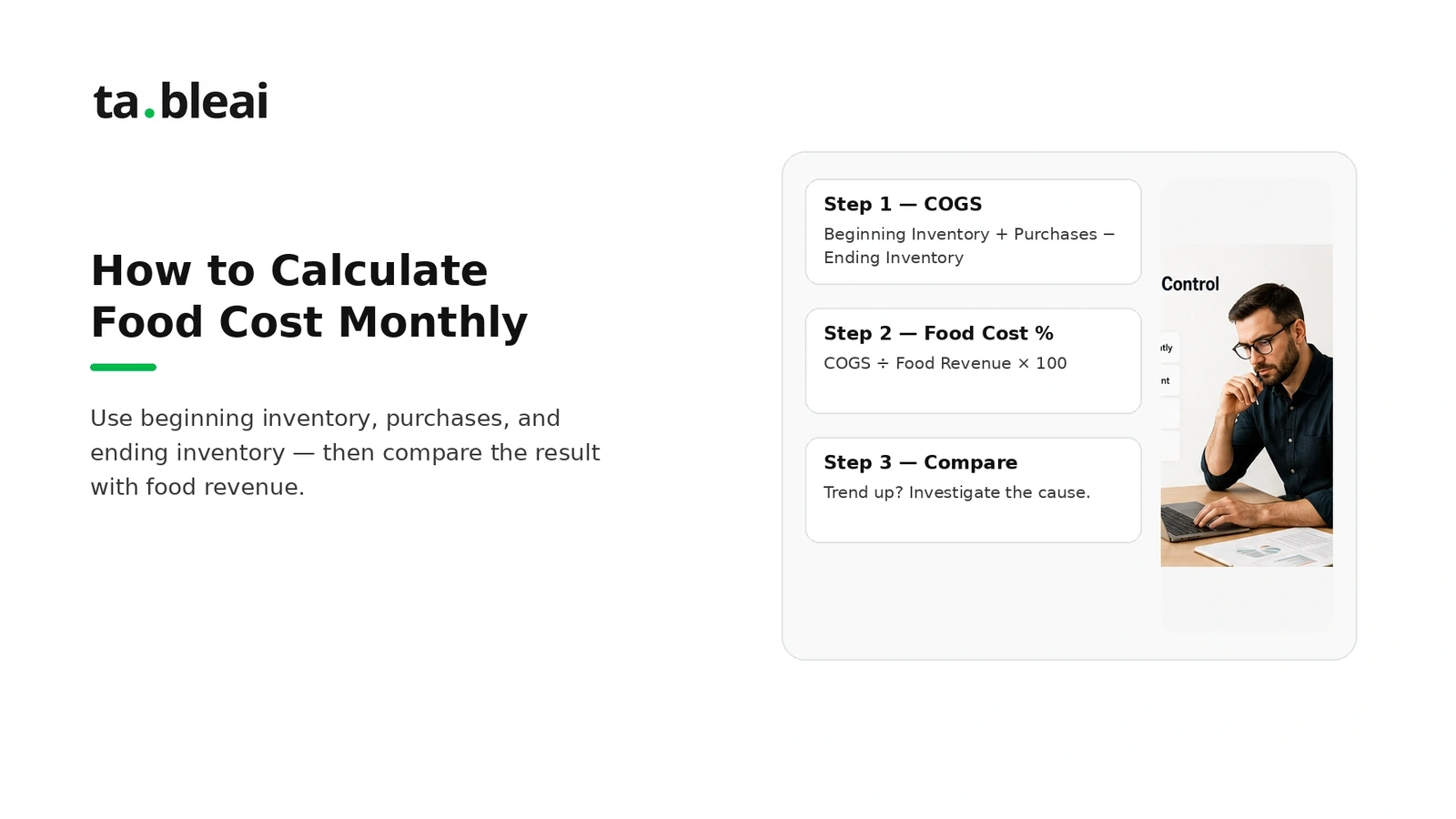
The food cost formula
Cost of goods sold (COGS) = Beginning inventory + Purchases − Ending inventory
Food cost percentage = COGS ÷ Food sales × 100
Purchases alone are not food cost: some stock bought this month may still be on your shelves next month. Subtracting ending inventory accounts for that difference. Toast's explanation of food cost uses this inventory-based method.
Count transfers between locations and returns consistently. If purchases are recorded net of returns, do not subtract those returns again. A negative COGS result means the records need checking before you can use the percentage.
Worked example: a month of food sales
These are illustrative amounts, not a customer case study. Click Use example amounts in the calculator to try them.
| Entry | Amount (USD) |
|---|---|
| Beginning food inventory | $80,000 |
| Food purchases | $350,000 |
| Ending food inventory | $60,000 |
| Food sales | $1,000,000 |
Food consumed is $80,000 + $350,000 − $60,000 = $370,000. Divide by $1,000,000 of food sales to get 37%.
Using purchases alone would give 35%, understating food cost by two percentage points. For this month, that difference is $20,000.
The remaining $630,000 is before wages, rent, delivery commissions, utilities, taxes, and other expenses. It is not take-home profit. Use the restaurant break-even guide to connect food cost to your other expenses.
What should your food cost percentage be?
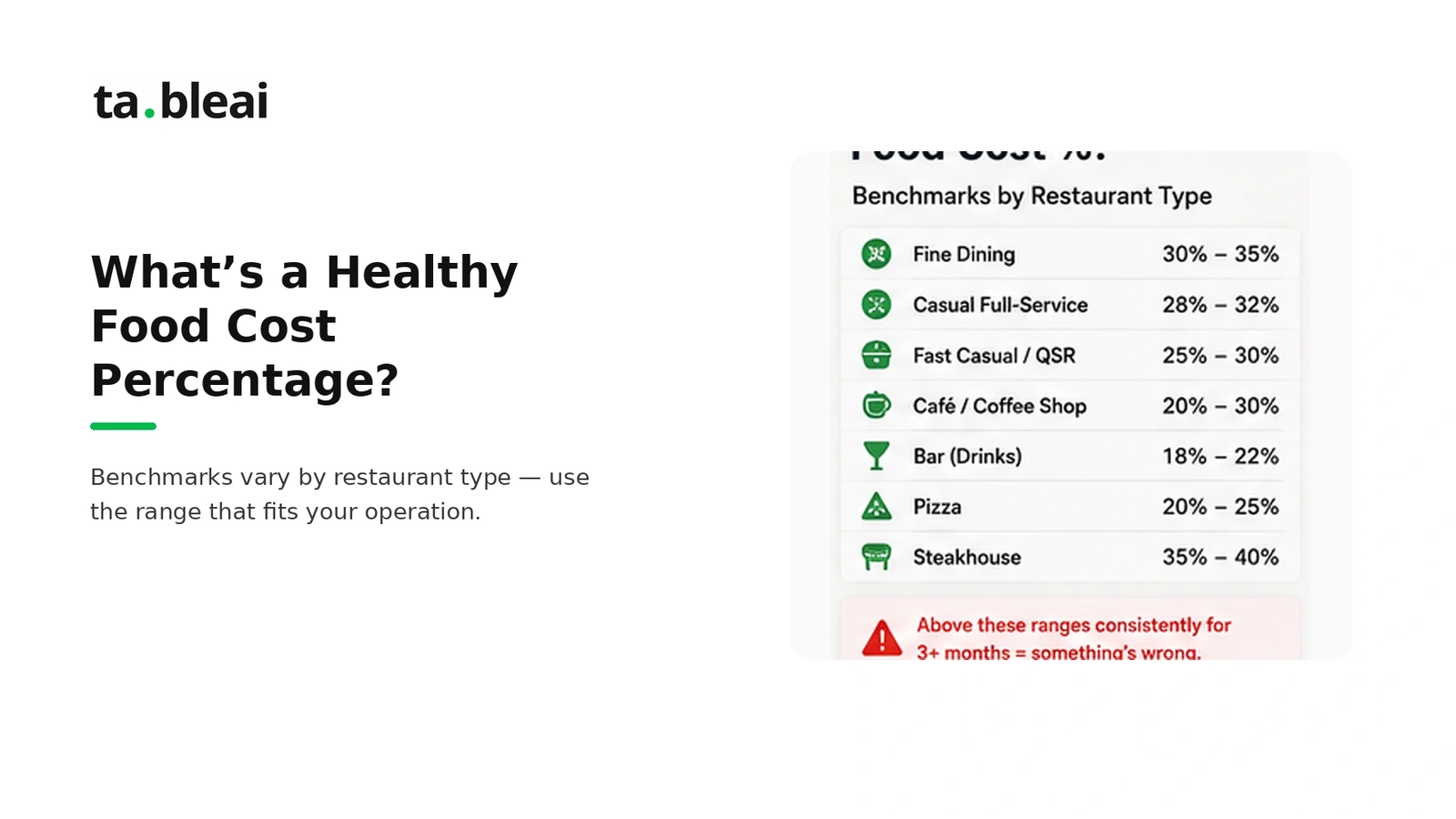
There is no single percentage that proves a restaurant is healthy. A coffee-led café, a steakhouse, and a delivery kitchen have different ingredients, selling prices, and operating expenses.
Compare your actual cost with the cost implied by your recipes and sales mix, then review the money left to cover other expenses. A dish with a higher food-cost percentage can still contribute more money per sale than a cheaper dish.
For example, a dish selling for 1,000 with ingredients costing 400 leaves 600 before other expenses. A dish selling for 500 with ingredients costing 150 leaves 350. The second has the lower food-cost percentage, but the first contributes more money per order. See the menu engineering guide.
Four checks before you trust the result
- Match the dates. Use beginning and ending counts that bracket the same sales and purchase period. Do not divide a month's purchases by a week's sales.
- Match the categories. Compare food inventory with food sales. Keep drinks separate if you want a food-only result. Treat tax, discounts, and refunds consistently in your sales figures.
- Use cost values. Count ingredients using a consistent valuation method. Do not value stock at menu prices.
- Record every purchase once. Include cash purchases and account for returns and transfers. Missing invoices can make food cost look artificially low.
How to investigate a rising percentage
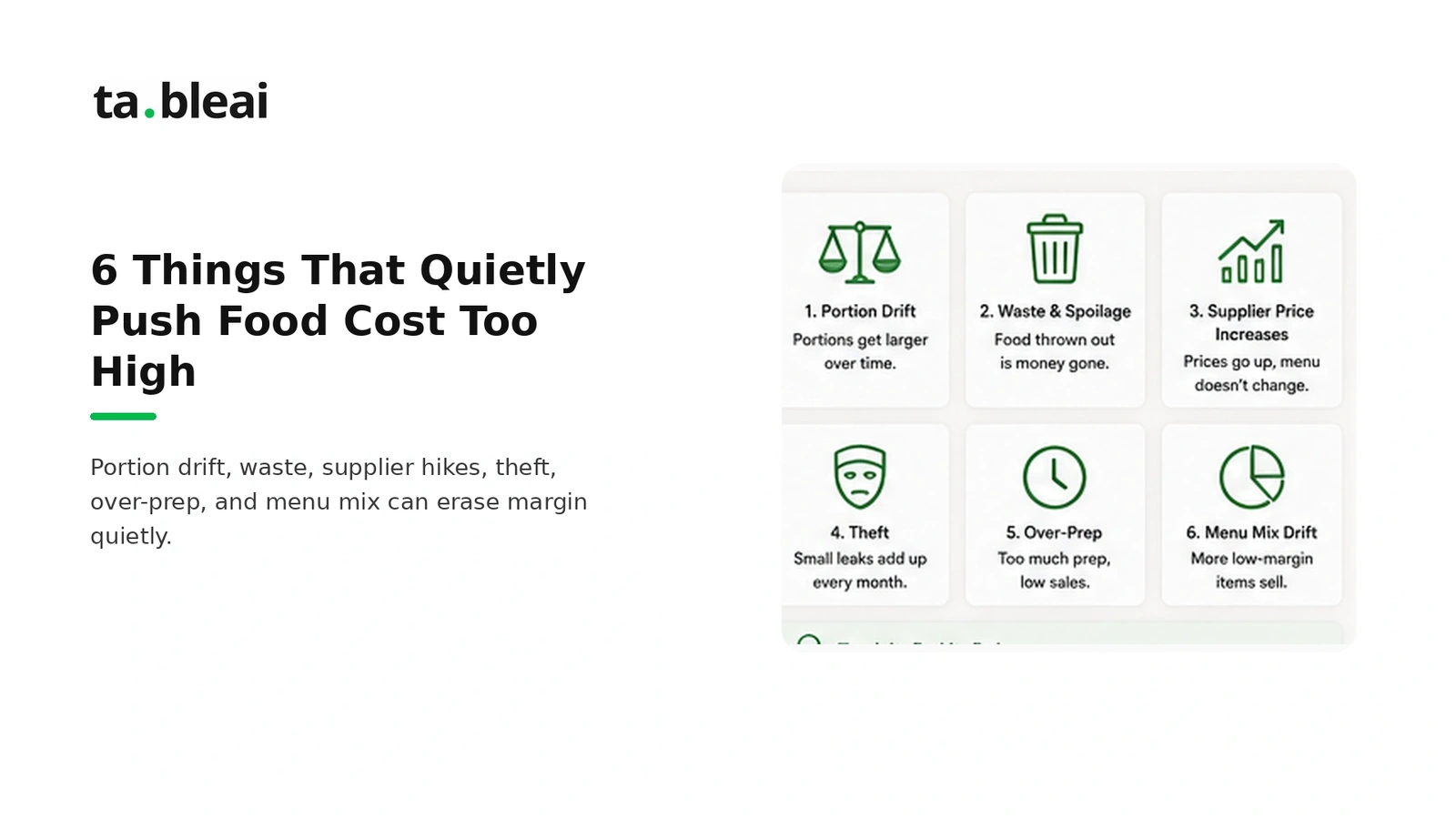
Start with count accuracy. Recount high-value ingredients and check units. Mixing kilograms and grams, or cases and individual items, can overwhelm any real operating change.
Compare supplier prices. A 12% increase in one ingredient's price does not mean the whole dish's margin falls 12%. Recalculate the ingredient's contribution to each recipe before changing menu prices.
Measure waste and portions. Keep a short waste log and weigh sample portions against the recipe. Use your own measurements to decide where the loss occurs rather than assuming an industry average applies to your kitchen.
Review the sales mix. More sales of dishes with higher ingredient costs can raise the overall percentage even if recipes and purchasing are unchanged.
Reconcile unexplained differences. Missing records, unlogged staff meals, spoilage, and theft can all create gaps. Investigate the records before assigning a cause.
A repeatable monthly routine
Count inventory at the same point in service each month, collect the period's invoices, reconcile food sales, and enter the four totals. Record the result alongside the previous month and a short explanation of any change.
Between those counts, track a manageable set of expensive or fast-moving ingredients. Our small-restaurant inventory guide covers ways to organize those records.
TableAI can help you record day-to-day sales and stock updates through WhatsApp. This calculator is separate from your account and does not automatically read your restaurant records. Accurate monthly COGS still requires complete purchases and physical inventory counts.
Common questions
Can I calculate food cost with zero sales?
You can calculate the amount of food used, but a percentage of zero sales is undefined. The calculator asks for food sales greater than zero.
Why is my food cost above 100%?
It means the calculated food used cost more than the food sales entered. Check the period and inventory values first. If the records are correct, your food sales did not cover food cost for that period.
Is this a recipe-cost calculator?
No. It measures actual food cost across a period. To cost a recipe, total the cost of each ingredient in one portion and divide by the menu price. The menu-pricing guide explains that process.
Do I need to sign up?
No. Use the calculator on this page without a TableAI account. If you prefer a spreadsheet, 7shifts provides a food-cost template.